
Mobile Legends: Bang Bang Codes TODAY (July 29, 2026)
Active codes
7
Last updated
July 28, 2026
Mobile Legends: Bang Bang is the defining 5v5 MOBA of mobile gaming, with over 100 heroes, ranked seasons, and esports tournaments watched by millions. Moonton regularly drops redeem codes during patch reveals, collaborations, and birthday events. Use them to grab Diamonds, hero skins, and battle tickets without spending a cent.
Active Mobile Legends: Bang Bang codes today
free rewards
7aizi7yb2free rewards
ezpabjym61k diamonds
DE6W7Q2232Z1k diamonds
MYCQB2223321k diamonds and ten miracle summon scrolls
CZBR5822335123456789SendHow to get more free rewards in Mobile Legends: Bang Bang
Diamonds are hard to earn for free in MLBB, but these consistent methods help you stack up resources without spending real money:
Complete daily and weekly missions
The Mission Center refreshes every day and every week with tasks that reward Tickets, Emblems, and occasionally Diamonds. Completing them consistently is the single most reliable free-resource method.
Collect free hero trial cards
The Trial Card system lets you use heroes you don't own for free in ranked or classic matches. Use trial periods to test heroes before spending Tickets on permanent unlocks.
Rank up every season
Each ranked season offers milestone rewards: Tickets, emblems, and exclusive season-only cosmetics. Even reaching Epic rank unlocks meaningful freebies.
Join or start a team for Squad Trials
Playing Squad Trial matches with friends grants bonus Battle Points and chest opportunities compared to solo queues.
Watch official MLBB streams and YouTube events
Moonton frequently distributes codes live during World Championship broadcasts, creator streams, and anniversary events. Having the stream open is often all it takes to claim a code.
Participate in in-game events
The Events tab always has something running — spin wheels, collection events, and login calendars that award skins, heroes, and currency fragments. Check it daily; events expire without warning.
Exchange Magic Dust for emblems
Dismantling unwanted equipment and heroes gives Magic Dust, which converts into Emblem fragments — a free path to maxing your combat capabilities without spending Diamonds.
How to redeem codes
- Visit the official redemption page: m.mobilelegends.com/en/redeem.
- Log in with the same method you use in-game (Moonton, Facebook, Google, etc.).
- Select your server and enter your Player ID (found in your profile).
- Type the code in the 'Redemption Code' field and click 'Redeem'.
- Collect your rewards from the in-game mailbox.
Where do these codes come from?
- The developer's official channels (Discord, X/Twitter, Facebook).
- Livestreams, anniversaries and special in-game events.
- Collaborations and partnerships with content creators.
- We manually verify every code we publish here — bookmark us so you don't miss any.
Why isn't your code working?
- ▪Case sensitivity. Codes are case-sensitive. Make sure to copy them exactly as they appear, with no leading or trailing spaces.
- ▪Expiration. Many codes expire within days or weeks. If a code listed as active fails, it likely just expired — let us know and we'll move it to expired.
- ▪Region lock. Some codes only work in specific regions (Asia, Europe, Americas). If your account is from a different region, the system will reject it.
- ▪Already redeemed. Each code can only be redeemed once per account. If you've used it before, the game will say it's already been claimed.
- ▪Server overload. If the game's servers are overloaded after an event or update, the redemption system can fail temporarily. Try again later.
Expired codes
h4vbc3okbExpiredghjqs4okbExpired89d2q9okbExpiredMLBBRISINGExpiredMLBBSPECExpiredMROELITEExpired041a4fmxkExpired007a51mxkExpiredMSCDarkNexusExpireddwfpg9lpsExpired5uqhtvjr4ExpiredSUMMER0825ExpiredXM8ZAYExpiredHGHM82ExpiredF43KLHExpired6A2AXMExpiredVS5X65ExpiredT4XFXTExpired5PNU6HExpired7YEKK3Expired6DDZTCExpiredJCCFR7ExpiredNSZTTXExpiredMLA999ExpiredvuhzlrmkkExpired312ogcmkkExpireda692l6mkhExpiredaphlqnlziExpiredr23m6ilzjExpiredbigxy2lqhExpiredMA7TT82229XExpiredPX5AW52229YExpiredYG7ZZZExpiredqevb28hzdExpired1g7wk4hzcExpiredx9v8k9hwtExpiredimawr5hwvExpiredo3jag4hgaExpiredc23m3bholExpired5i24r9hgaExpiredcyhuwc38qj3222sexExpiredWelcometoMSC2023Expiredztb44ks32z2h22r3rExpiredvjffqud98tmb22sb8Expiredwigwz1gkrExpiredv399g9t35bcs22krkExpiredyeagrbvvyn9q22mh9Expiredtdau2xcp7nmb22k56Expiredej8zttp4tp4r22kfrExpired6xbht9csfExpiredemqfv59yq4uj22k56Expired4tbn72x75cg922ka7Expireda46xiocsvExpired0a5nh1c4jExpired572tn5r8tu4t22jp4Expired4jhdms4pea4k22jp3Expired3b8dkxs5kqpn22jkkExpiredqmyjrm6fjg7822jkmExpiredzwebc2c8vExpiredglw5g5c8vExpiredurkipfc8vExpiredh8h3c68mrpnx22jbtExpiredRM0KDOC4JExpiredOV00SXC4JExpiredPolloCon2022Expiredrek322nqnu5p22j7kExpiredk2qw7m8g9b3r22hh8Expired5p3ucs25wxf722hhfExpiredo6pw0gc6cExpiredphrrht6srjya22hhtExpired39x9gyvhz8uk22hhuExpired8fzqexekescu22hj7Expiredff82yhh8k56c22hj8Expired1i8sjqazoExpired3pk5yqsrmfbp22gakExpired4mr2eq3r7ybr22g52Expired62jm6f755hmh22g4wExpiredada3786vg82922g53Expiredwshfea5pn4ja22g3vExpiredn2nrwoa9nExpiredimxo0ha9vExpiredfastpwevdmu922fukExpired1ztcqma9nExpiredeuu9pza9qExpirednq7g3mkupjbu22fzaExpired4xu4c7w3cxt422fzbExpiredmy9sk3gkw4z822fz7Expiredvtwbnh7zwquf22fz6Expired6h7p7k359mty22ftwExpiredh8c2fn8zw3tx22fu4Expiredubevlj9rrExpired49ATS258Y2ZD22FMXExpired2rephr3g5nr422fn2Expiredatwajcaa6ExpiredbutExpiredoojms4okcExpiredny2pzck6bsdx233ztExpiredDynamo03Expiredma3n8hokbExpiredck73ahokbExpiredHOLAMLBBExpired0nc9lhok9ExpiredMRO20241209Expired3r83efok9Expired2y3vo2r3xExpiredFrequently asked questions
Where do I find my Mobile Legends Player ID?▼
Tap your avatar in the top-left corner of the lobby screen. Your Player ID is the numeric string displayed below your nickname.
Can I redeem codes inside the app without a browser?▼
Most codes require the web redemption portal at m.mobilelegends.com/en/redeem. A few event-specific codes can be entered in-game via Profile → Settings → Redeem Code.
How many codes can I redeem per account?▼
There is no daily limit, but each code can only be used once per account. You can redeem as many different active codes as exist.
Does the code need to match my game region?▼
Yes. Make sure you select the correct server on the redemption page. Codes submitted to the wrong server will return an error.
Where does Moonton publish new Mobile Legends codes?▼
New codes are announced on the official MLBB YouTube channel, Facebook page, and during patch previews. Tournament-related codes are often shared live during broadcasts.
The code is valid but nothing appeared in my mailbox — what now?▼
Wait a few minutes and refresh your mailbox. If nothing arrives after 10 minutes, try logging out and back in. Contact Moonton support if the issue persists.
⭐ Bookmark this page
We update codes daily. Come back tomorrow to see the new ones.
Related games
Solitaire Grand Harvest
Entertainment · Card Game
MU: Dark Awakening
Roleplaying · Action
Wartune Ultra
Strategy · Roleplaying
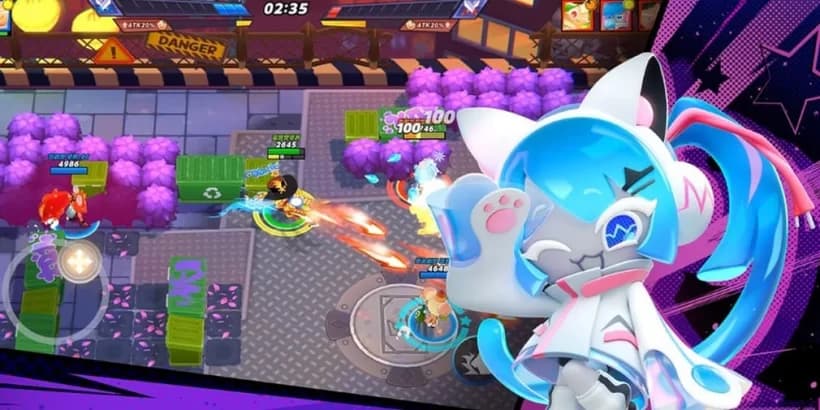
Cookie Run: OvenSmash
Party Brawler · Action
Lyssa Goddess of Rage
Strategy · Roleplaying
Solo Leveling Arise
Action · Roleplaying
Mobile Legends: Bang Bang latest news
Follow Mobile Legends: Bang Bang's official Facebook page for the latest news and codes.
fView on Facebook